

Compare bids from any sourcing event. Show how each score was reached.
Rubicon by PredictX is strategic sourcing software for evaluating supplier responses. Import whatever suppliers sent, from wherever the event ran: it reads every bid on the same basis, narrative answers beside the price, and traces each insight back to the response it came from.
Increase team capacity by up to 80% with Rubicon. Built by PredictX, in London since 2012.
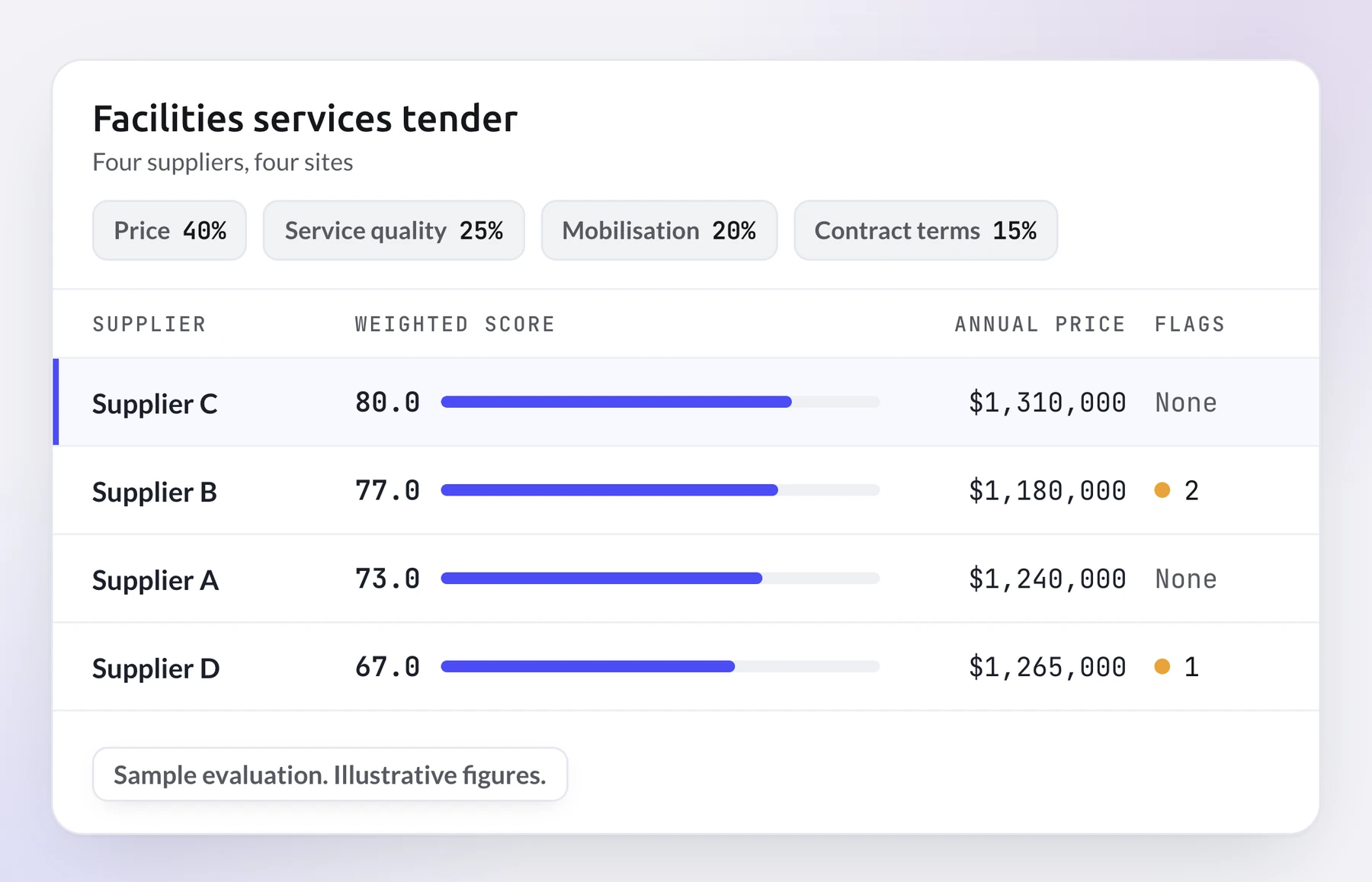
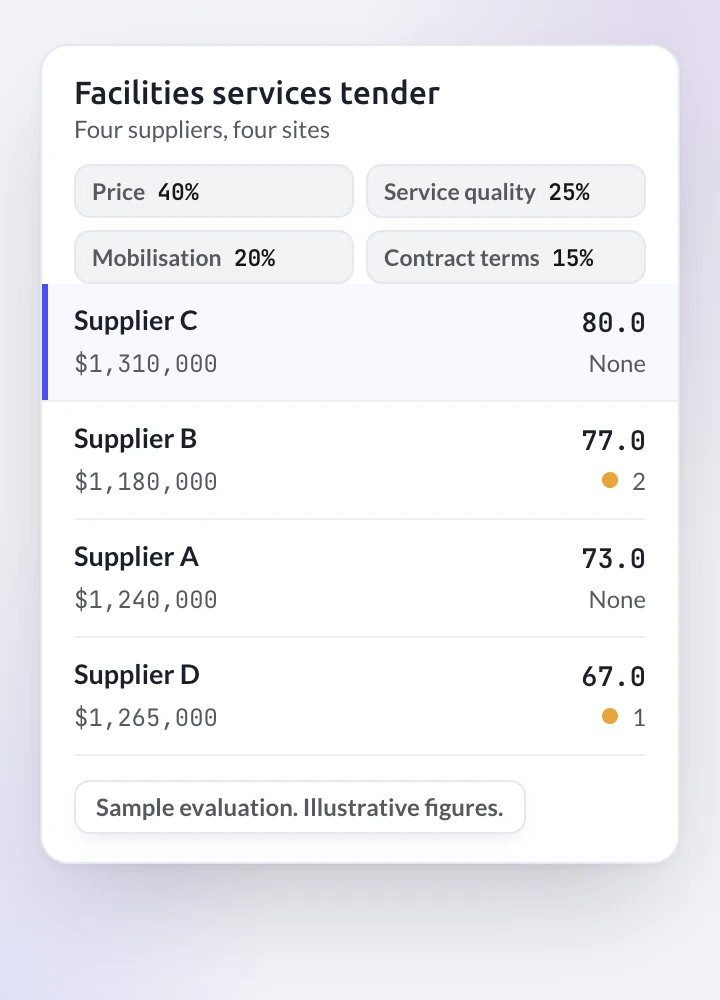
Sample evaluation, illustrative figures. Facilities services tender: four suppliers, four sites. Weights: price 40%, service quality 25%, mobilisation 20%, contract terms 15%. Ranked by weighted score: Supplier C, 80.0, annual price $1,310,000, no flags; Supplier B, 77.0, annual price $1,180,000, 2 flags; Supplier A, 73.0, annual price $1,240,000, no flags; Supplier D, 67.0, annual price $1,265,000, 1 flag. Supplier C's row is selected.
Spreadsheets record the score. They do not record why.
Supplier responses to tenders and RFPs arrive as PDFs, spreadsheets and slide decks, each answering the same questions in its own way. Someone retypes the prices into a sheet so the bids line up. The long answers, the attachments and the exceptions inside them get read once, by whoever has the time.
The US Government Accountability Office's bid protest report for fiscal year 2025 lists unreasonable technical evaluation first among the most prevalent reasons it sustained US federal bid protests.
Then a losing bidder asks for a debrief, or audit asks why the panel chose who it chose. The score is in the sheet. The reasons are in someone's notes.
The question comes after the award. The answer has to exist before it.
Do you have to run the sourcing event inside Rubicon?
No: Rubicon sits outside the event. Run the event wherever you already run it, in your procurement suite, by email or anywhere else, then bring the responses to Rubicon. It is sourcing software for the reading and scoring that come after the event.
- Set up the project: one project for the event you want evaluated.
- Add your questions: the questions suppliers were asked to answer.
- Set the scoring method and weights: how each criterion is scored, and how much each one counts, fixed before the responses come in.
- Import the responses: documents, spreadsheets and presentations, as suppliers sent them.
- Rubicon does the work: every response read and scored against your criteria, and the bids compared side by side.
Your event stays where it is. So does the decision.
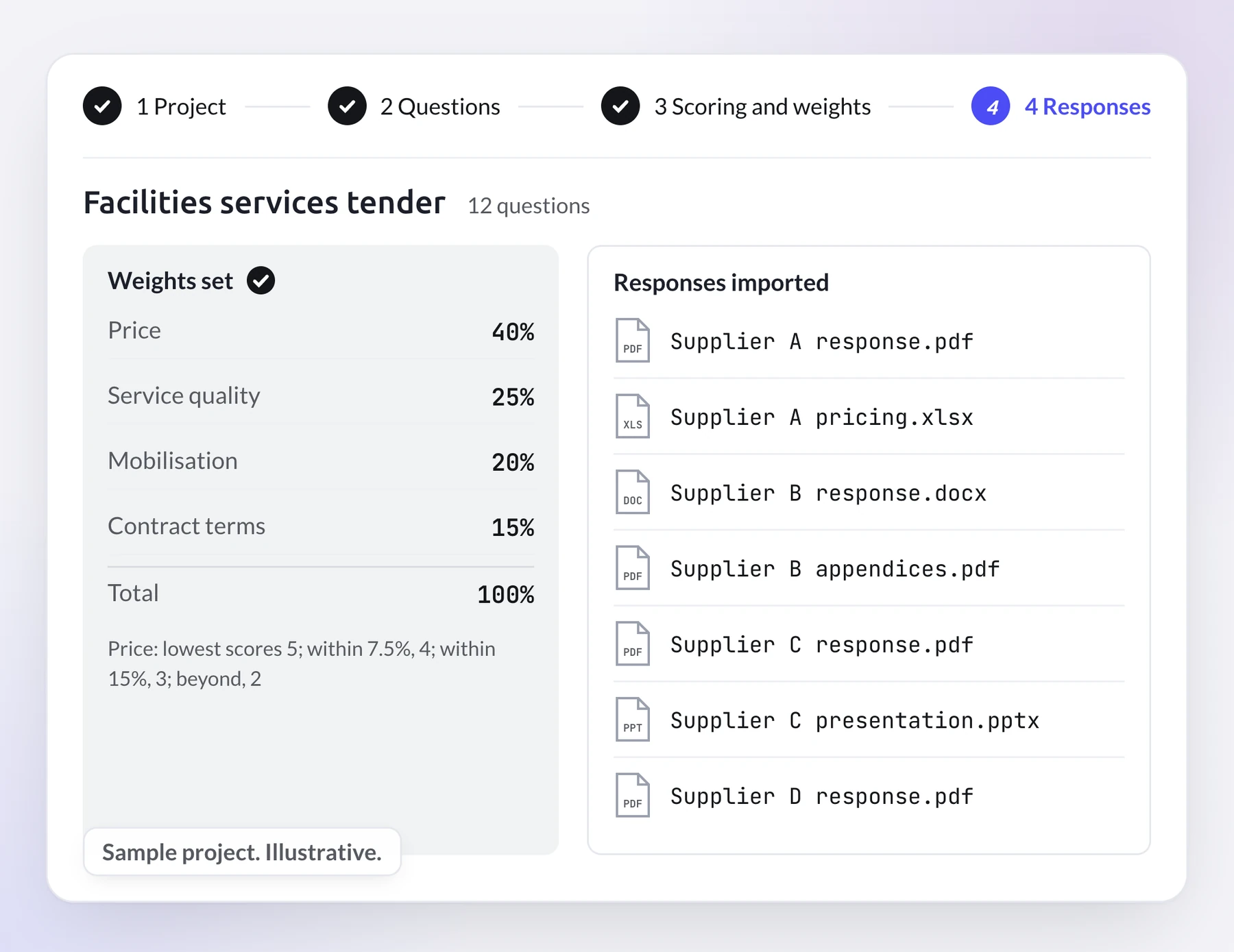
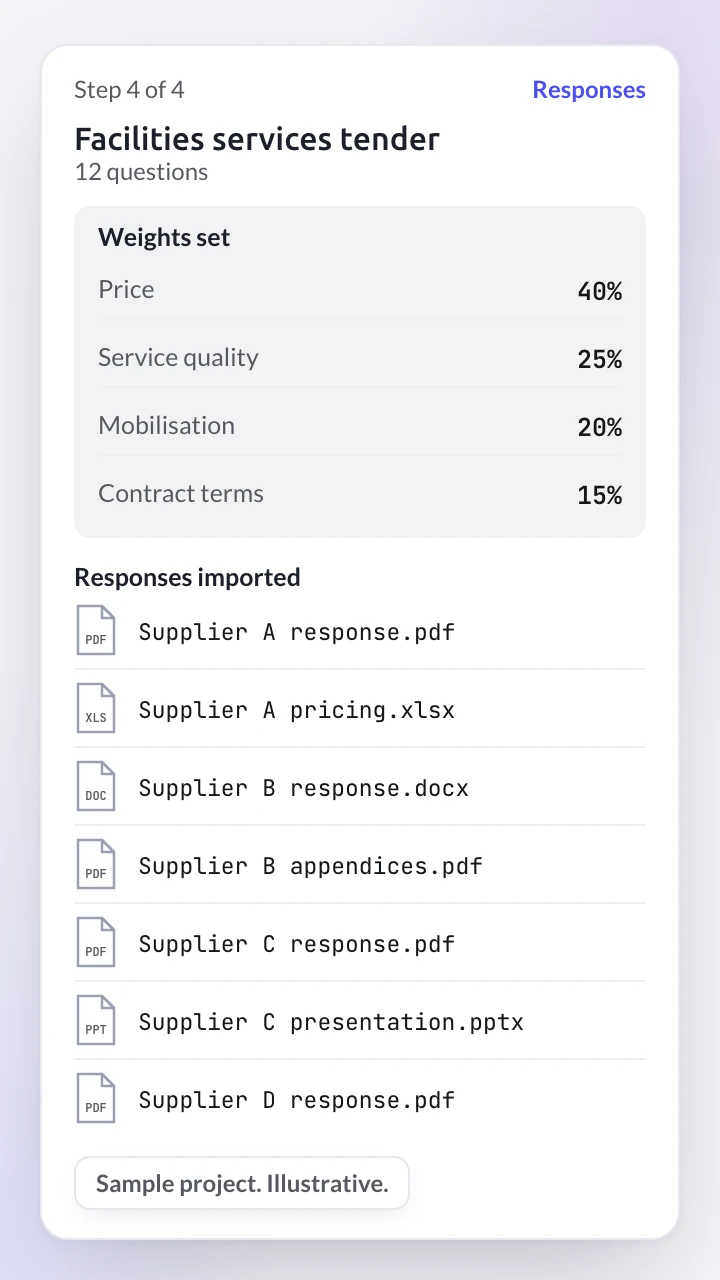
Sample project, illustrative. Facilities services tender, 12 questions. Steps 1, Project; 2, Questions; and 3, Scoring and weights, are done; step 4, Responses, is open. Weights set: price 40%, service quality 25%, mobilisation 20%, contract terms 15%, total 100%. Price: lowest scores 5; within 7.5%, 4; within 15%, 3; beyond, 2. Responses imported: Supplier A response, PDF; Supplier A pricing, spreadsheet; Supplier B response, Word document; Supplier B appendices, PDF; Supplier C response, PDF; Supplier C presentation, slides; Supplier D response, PDF.
How does AI evaluate supplier responses to an RFP?
Rubicon applies the criteria and weights your team set to every supplier response, so each bidder is scored against the same questions in the same way. It reads what sits beyond the bid sheet as well as the price: narrative answers, attachments and the terms suppliers add.
The longest attachment gets the same reading as the price line.
- The same criteria for every bidder: one set of questions and weights, applied to every response.
- Any format: documents, spreadsheets and presentations, read as suppliers sent them.
- Exceptions, gaps and risks flagged: non-standard terms, missing answers and risks in each proposal, each tied to the response it came from.
- Questions in plain language: ask across every response, such as which suppliers subcontract any of the work.
How do you compare supplier bids that arrive in different formats?
Rubicon standardises the pricing, terms and qualitative answers in every response into a single view, so the bids sit side by side on the same basis. Your weights are set before the responses are imported, and the sample below shows how much they decide.
Sample evaluation: a facilities services tender, four sites, four suppliers
- Weights
- price 40%, service quality 25%, mobilisation 20%, contract terms 15%
- Supplier C
- 80.0 out of 100; annual price $1,310,000
- Supplier B
- 77.0; annual price $1,180,000, the lowest; two flags, including a liability cap of three months' fees
- Supplier A
- 73.0; annual price $1,240,000
- Supplier D
- 67.0; annual price $1,265,000; flagged: no mobilisation plan in the response
Weight price at 60% and Supplier B ranks first, on 85.0.
How do you show an auditor or a losing bidder how each score was reached?
Each score opens onto its evidence: Rubicon backs every recommendation with the scoring criteria and the supplier responses it rests on, and every insight traces back to the original supplier response. The panel can question the results in plain language, so the decision can be defended to audit, to legal or to a bidder who lost.
Rubicon works as an AI procurement co-pilot. It scores, compares and recommends, with the evidence attached. Your panel makes the award.
When a losing bidder asks why, the reasons sit beside each score, tied to their own response.
Rubicon runs on Cogent, the AI engine behind the PredictX platform, and shares that platform's security controls.
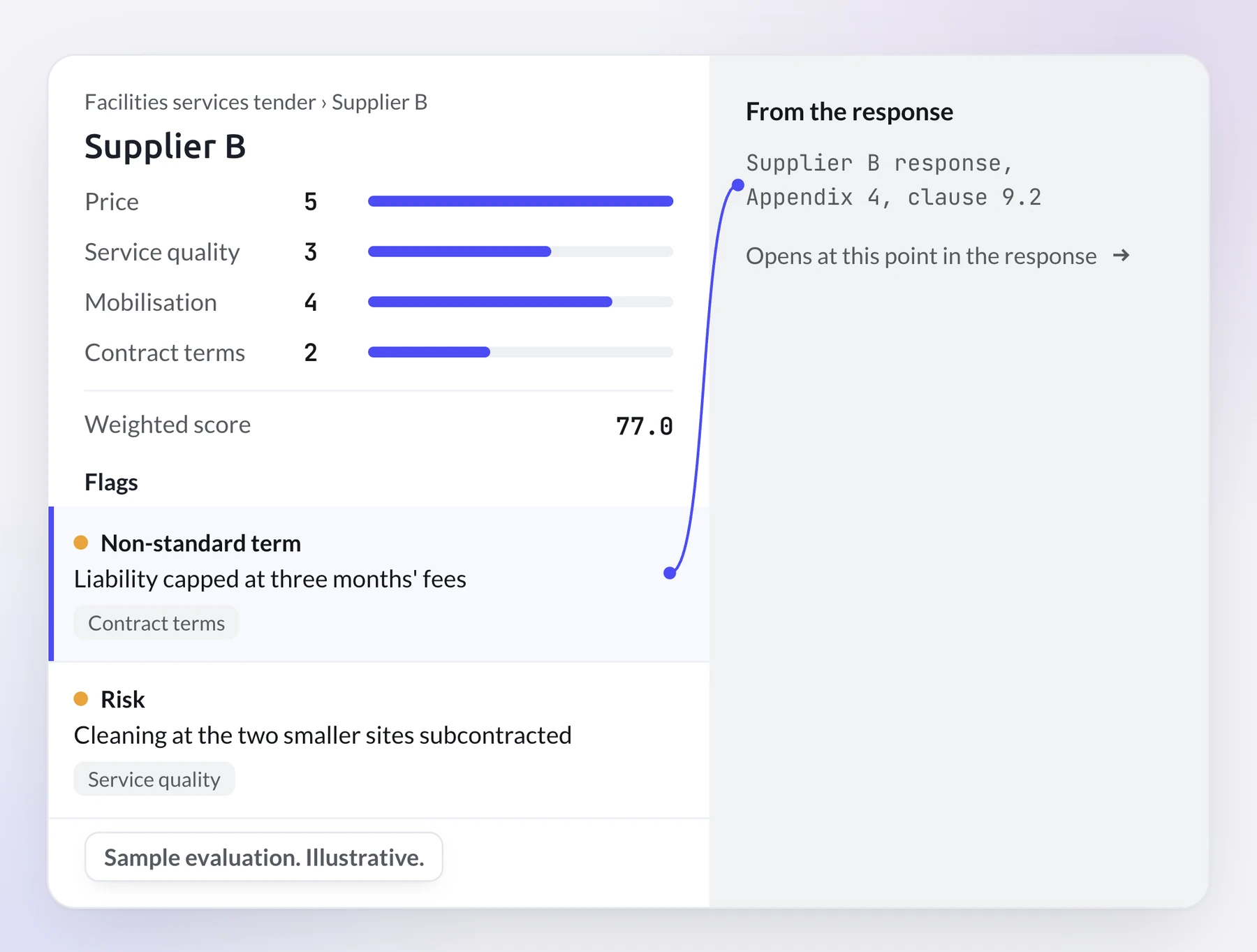
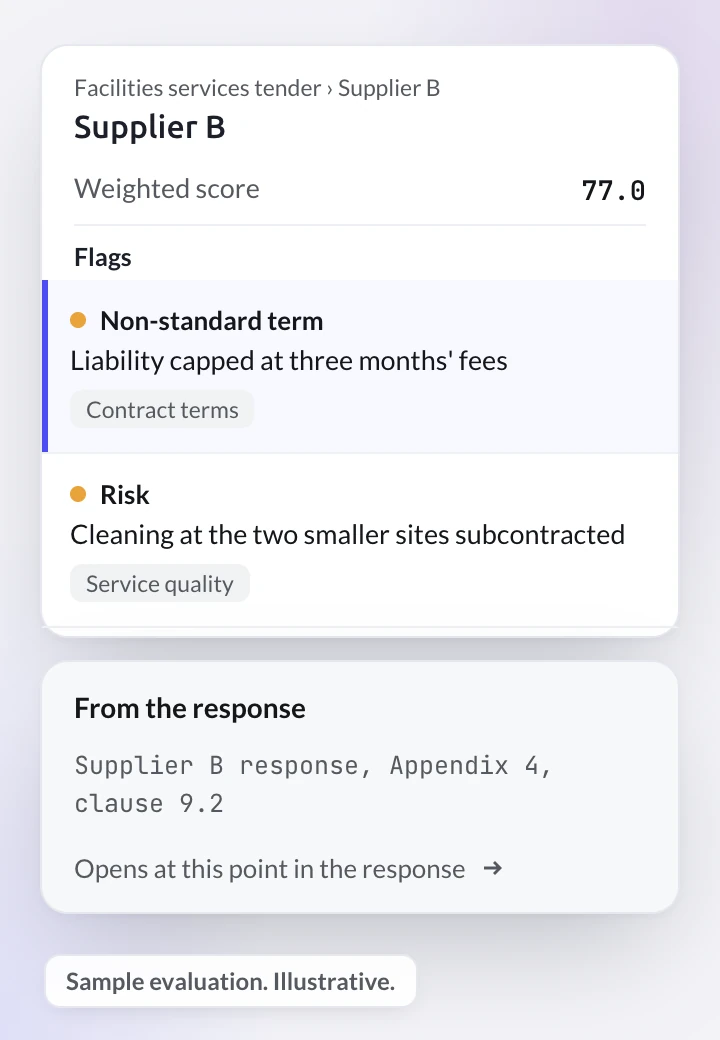
Sample evaluation, illustrative. Facilities services tender, Supplier B. Scores out of 5: price 5, service quality 3, mobilisation 4, contract terms 2. Weighted score 77.0. Flags: first, selected, a non-standard term, liability capped at three months' fees, under contract terms; second, a risk, cleaning at the two smaller sites subcontracted, under service quality. From the response: Supplier B response, Appendix 4, clause 9.2. Opens at this point in the response.
Can AI improve a draft RFP before it goes to suppliers?
Yes. Before an RFP goes to suppliers, upload the draft in DOCX, PDF or XLSX and Rubicon suggests where to improve its clarity, its completeness and its evaluation criteria. Clearer questions get answers that are easier to compare, which is where a fair evaluation starts.
Rubicon improves the draft your team wrote; it does not write the RFP for you or send it to suppliers. A sharper request going out, every response read when it comes back: Rubicon is built for the buyer's side of the RFP at both ends.
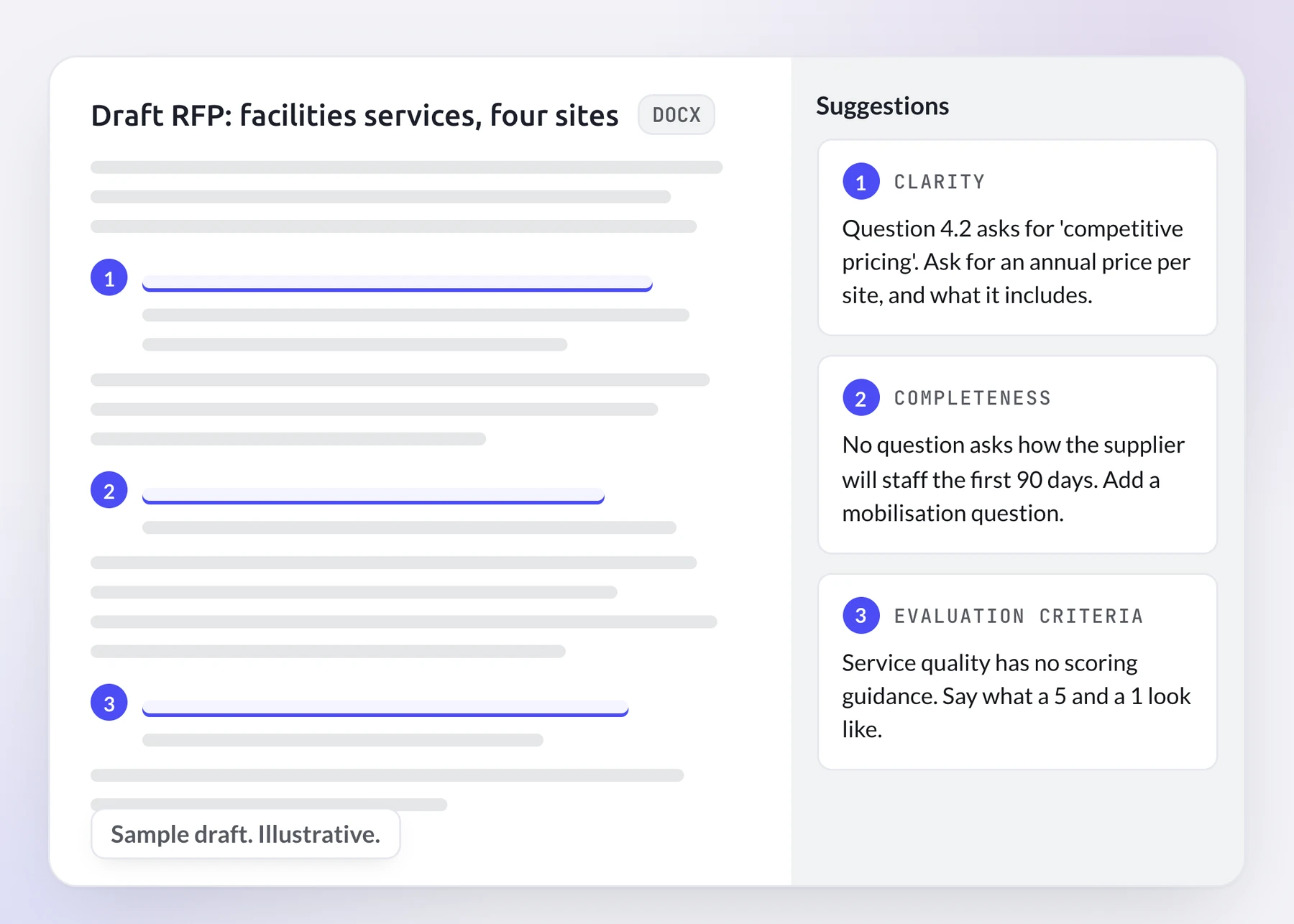
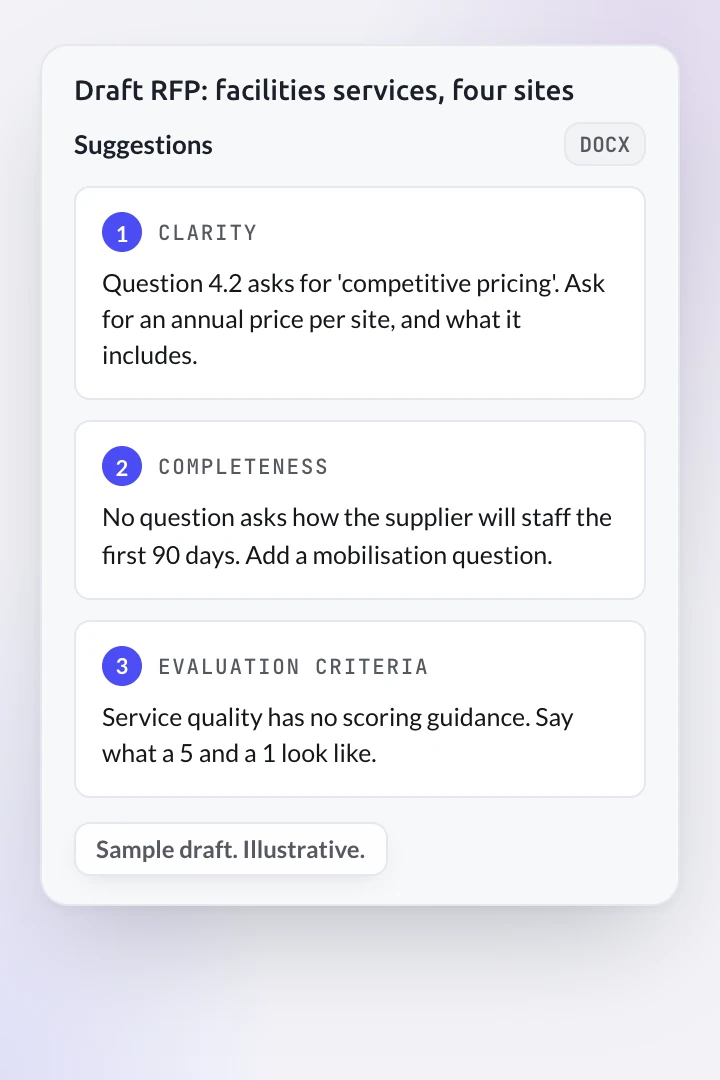
Sample draft, illustrative. Draft RFP: facilities services, four sites, a DOCX file, with three passages marked. Suggestions: 1, clarity: "Question 4.2 asks for 'competitive pricing'. Ask for an annual price per site, and what it includes." 2, completeness: "No question asks how the supplier will staff the first 90 days. Add a mobilisation question." 3, evaluation criteria: "Service quality has no scoring guidance. Say what a 5 and a 1 look like."
Built for complex sourcing events. Not tail spend.
Rubicon is supplier evaluation software for category managers, CPOs and the procurement teams who run complex sourcing events, in any sourcing activity.
Category managers
By automating roughly 80 percent of RFP analysis and evaluation, Rubicon frees category managers for the negotiation and the supplier relationship.
The Cogent agent that powers Rubicon's scoring reclaims 40+ hours per sourcing cycle (based on enterprise deployment patterns, individual results vary).
Chief procurement officers
Scale sourcing capacity without adding headcount, with a record behind every award that audit can follow.
The stakes are simple arithmetic: 10% better RFP pricing on $30 billion of sourcing is $3 billion.
Your process stays. The first read changes.
A scoring spreadsheet and a panel reading every response costs nothing new, and audit and legal already accept it. For a handful of short responses it may be all you need. Here is what changes when the responses are long, or many.
One limit: Rubicon does not run the event, invite suppliers or hold auctions. It sits beside the tools that do.
Between events, Rubicon keeps watching.
Beyond each evaluation, Rubicon works as a strategic sourcing platform for procurement teams. It includes:
- Continuous market monitoring: Rubicon keeps watching markets, suppliers and sourcing opportunities.
- Dynamic supplier profiles: a profile for each supplier, kept current.
- Automated sourcing triggers: a prompt when it is time to go back to market.
- Integrated performance and risk insights: risk flagged in supplier responses during evaluation, and supplier performance tracked after the award, as scorecards.
Questions about Rubicon and strategic sourcing software
What is strategic sourcing software?
Strategic sourcing software is an application procurement teams use to plan and manage sourcing events: evaluating suppliers, comparing bids and deciding where to award. Rubicon by PredictX covers the evaluation side. It improves a draft RFP before it goes out, then reads, scores and compares the responses suppliers send back, against the criteria and weights the team has set.
Can AI read narrative answers and attachments in supplier proposals?
Yes. Rubicon reads narrative responses and supporting documents as well as the price schedule, and draws out the insights and risks inside them. Whatever the file type, an answer given in an attachment is read and scored with the rest of that supplier's response.
How can a procurement team trust an AI recommendation on a supplier?
Every Rubicon recommendation can be checked: it is backed by the scoring criteria, the supplier responses and the source documents behind it, and each insight leads back to its source response. The team can compare suppliers side by side and question the results in plain language before anyone relies on them.
Does AI choose the supplier, or does the team decide?
The team decides. Rubicon scores each response against your criteria and weights, compares the suppliers and recommends, with the evidence attached. The shortlist, the questions back to bidders, the negotiation and the award stay with your panel, which starts from a scored first read of every response.
How does AI flag risks and non-standard terms in supplier proposals?
Rubicon reads each proposal for non-standard terms, exceptions, gaps and potential risks, and flags each one against the response it came from. In the sample evaluation on this page, that means a liability cap of three months' fees in one appendix and a missing mobilisation plan in another response. After the award, Rubicon tracks supplier performance as scorecards.
Who should use strategic sourcing software?
Strategic sourcing software suits category managers, sourcing professionals and procurement leaders who run complex sourcing events, where several suppliers send long responses that have to be compared on the same basis. Rubicon works on any sourcing activity, whatever the category, and is built for complex events, not tail spend. It is open to new customers and to existing PredictX customers.
Can we just upload supplier responses to a general AI assistant?
For one response, yes: a general chat assistant can summarise it well. An evaluation also needs the same criteria and weights applied to every bidder, the bids compared side by side, and a way to trace each insight back to its source. Rubicon does that on Cogent, the AI engine behind the PredictX platform, under that platform's security controls.
Does strategic sourcing software replace the procurement suite we already run?
Rubicon does not replace it: the suite keeps running the events it runs now, and the responses it collects are imported into Rubicon; nothing about the suite has to change. Rubicon reads and scores what the event returns, and your panel keeps the decision.
Bring one past event. Compare Rubicon's read with your own.
An event you have already scored is the fairest test, because you know how that evaluation went.
Tell us in the form's message box roughly how many supplier responses came back; PredictX sets up a project with that event's questions, scoring method and weights, imports the responses, and shows Rubicon's read beside your own scoring. No past event to hand? Say so, and see it on sample data instead.