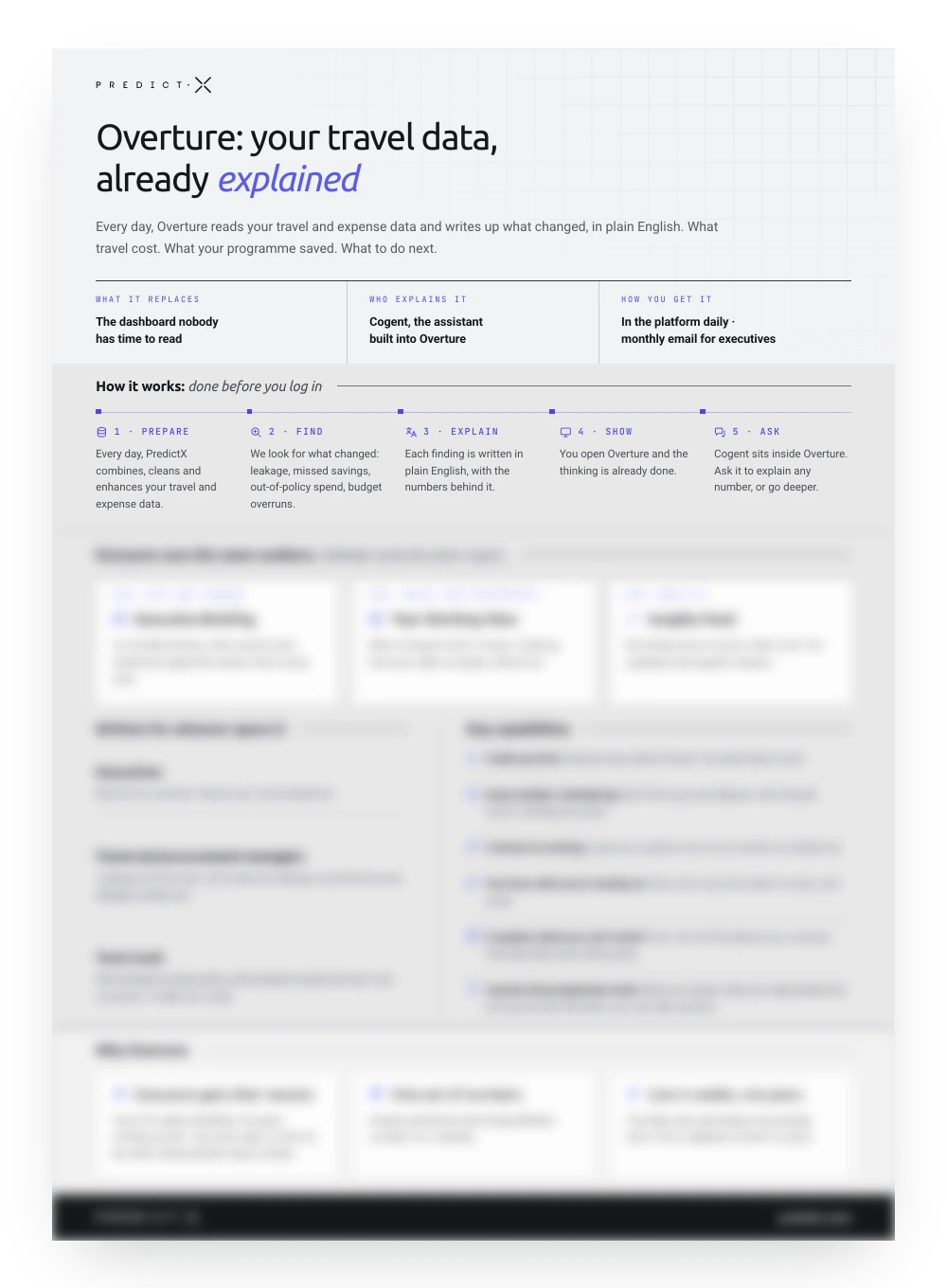
What is on the Overture product sheet
Overture is PredictX's executive reporting surface for corporate travel: it reads a company's own travel and expense data and writes up what changed each month. The write-up says what travel cost, what the programme saved, what moved the cost base and what to do next.
The product sheet is one A4 page, delivered as a PDF. The rest of this page covers the five steps that run before anyone logs in, the two layers one detection run composes, who each layer is written for, and the capabilities that decide whether a briefing gets read. The full case for the executive reporting product sits on its own page.
The five steps that run before anyone logs in
Monthly, Overture runs five steps before anyone opens it:
- Prepare: PredictX combines, cleans and enhances the travel and expense data.
- Find: detection looks for what changed, including leakage, missed savings, out-of-policy spend and budget overruns.
- Explain: each finding is written in plain English, with the numbers behind it.
- Show: you open Overture and the thinking is already done.
- Ask: Cogent sits inside Overture and picks up from any card when you want to go deeper on a number.
Two layers, one set of numbers
One detection run composes both layers:
- Briefing, for executives and business unit owners: where spend went, what the programme saved, what comes next.
- Workspace, for travel and procurement: every opportunity opened as a piece of work, with who or what to target and the avoidable spend behind it.
The Insights Feed sits beside them: a chronological ledger of everything found in the period, for analysts checking data quality and anyone preparing for a supplier review or the quarterly business review. Because all of it reads from one run, finance and travel stop arriving at a meeting with different numbers.
What a briefing has to prove
These capabilities decide whether a briefing gets read:
- It tells you first. Overture says what it found before anyone asks.
- Every number is backed up. Each figure is built from your own records, with its source shown.
- You know what you are looking at. Every view states what data it covers, and when.
- It explains what you cannot control. Fuel, how full the planes are, and currency: the rises that were never yours.
- It proves the programme works. What the programme saved, what was negotiated, and how well travel policy compliance held.
Who Overture is written for
Overture is written for four audiences, and what each one takes out of the same month's data:
- CFOs and finance leaders who want one monthly read on travel spend against plan, short enough to finish before the board meeting it feeds.
- Heads of travel and travel programme managers who rebuild the same story by hand before every stakeholder meeting.
- Travel and procurement teams tracking leakage, benchmarks, off-contract bookings and unused discounts.
- Team leads who need to know who booked outside policy, who booked outside the tool and who overspent, at a size that is fixable this week.
What Overture replaces on a travel platform
PredictX's position is that a dashboard reports and does not explain. It shows what happened and leaves the interpretation to whoever has time: the dashboard nobody has time to read.
Overture replaces the dashboard as the first screen anyone opens: the reading is already done before they log in. The argument at article length is in why dashboards stop at the snapshot.
How the briefing gets written every month
The numbers are worked out first, then the words are written from them. Detection is deterministic and runs at the data warehouse on a scheduled refresh, so insights arrive as computed facts with their evidence attached. Only then does Cogent, the travel and expense assistant, write the story for each finding, from templated prompts that require that evidence.
Overture reads the curated travel and expense data Cogent consolidates across TMCs, corporate cards, expense systems and GDS. This is narrative reporting anchored to the figures it describes, rather than a model asked to summarise a spreadsheet.
The page paints from cached content, so the model never runs on page load. Overture reads a monthly snapshot: re-run the pipeline mid-month and it still shows the month that closed, so the words and the numbers stay locked together.
Frequently asked questions
What does the Overture briefing report each month?
The briefing covers what spend did, whether policy held, what the market did to the cost base, and what to do about all three. That means spend against the same period last year and against plan, travel policy compliance, savings identified, and the subset of those savings that is easy to take. Supplier and category breakdowns follow, then the market conditions moving the cost base. PredictX built Overture on the view that business travel reporting is worth only the reading it gets.
How often does Overture write the briefing?
Monthly. A quarterly pack arrives too late to steer the quarter it reports on, and it still has to be prepared by someone. Overture writes the briefing as each month closes, so the quarterly meeting starts from three briefings that are already written and already evidenced.
Does the briefing run on our own travel and expense data?
Yes. Every figure comes from the company's own records, and the source behind it is shown alongside. The narration works from those figures alone, so a number in the briefing can be traced back to its source before anyone quotes it in a meeting.
Why is this faster to deploy than building it in-house?
The detection and the narration ship built, and so does the travel and expense data model. What is left is configuration: the data contract, the policy rules, the surface layouts and the access rules. The timeline for a given programme is shaped in the first conversation, against how much of its data is already curated.
How is the sheet delivered?
The sheet is behind one field: a business email. It is a one-page PDF and it prints on one side of A4.